
1605 Image Forge
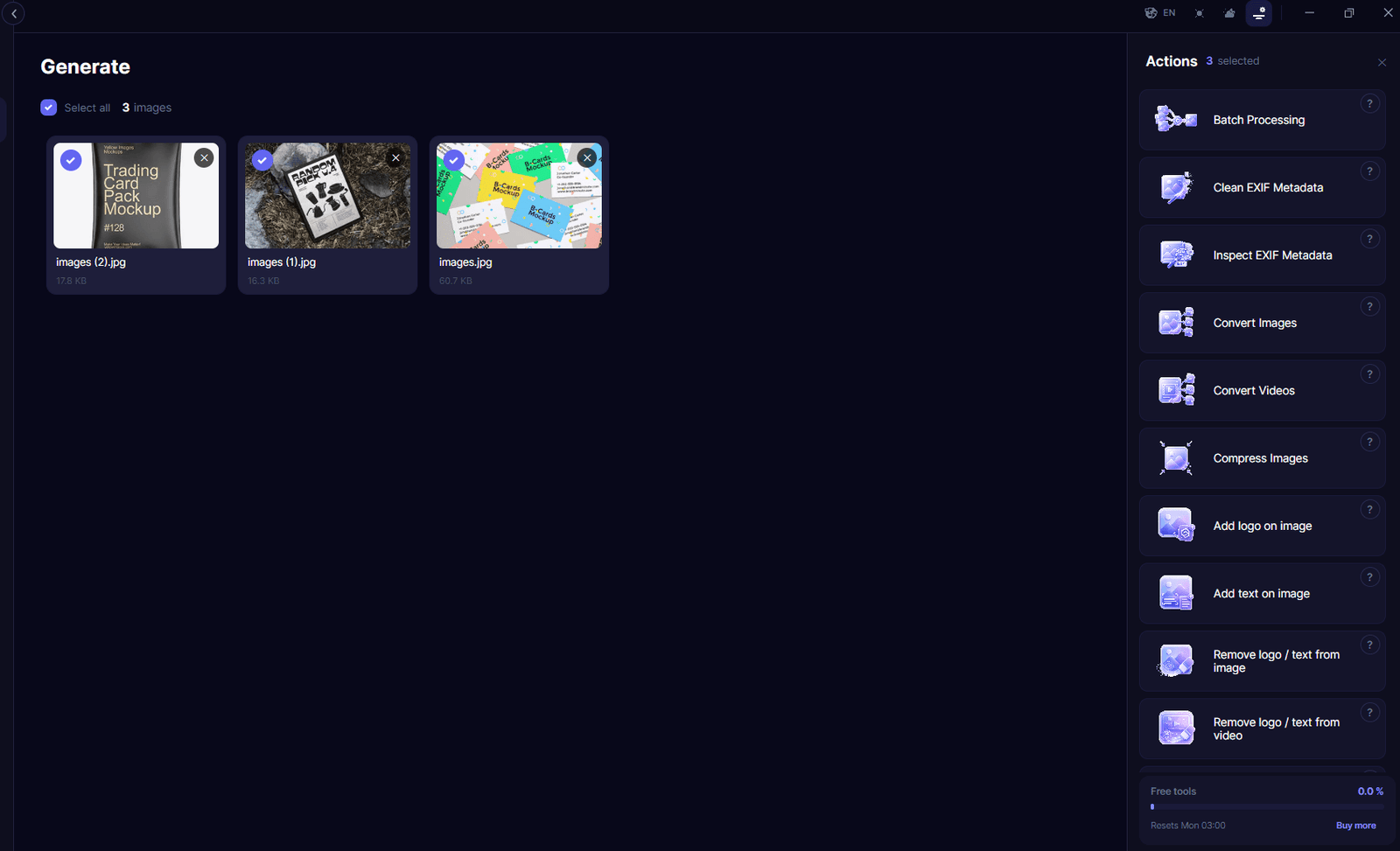
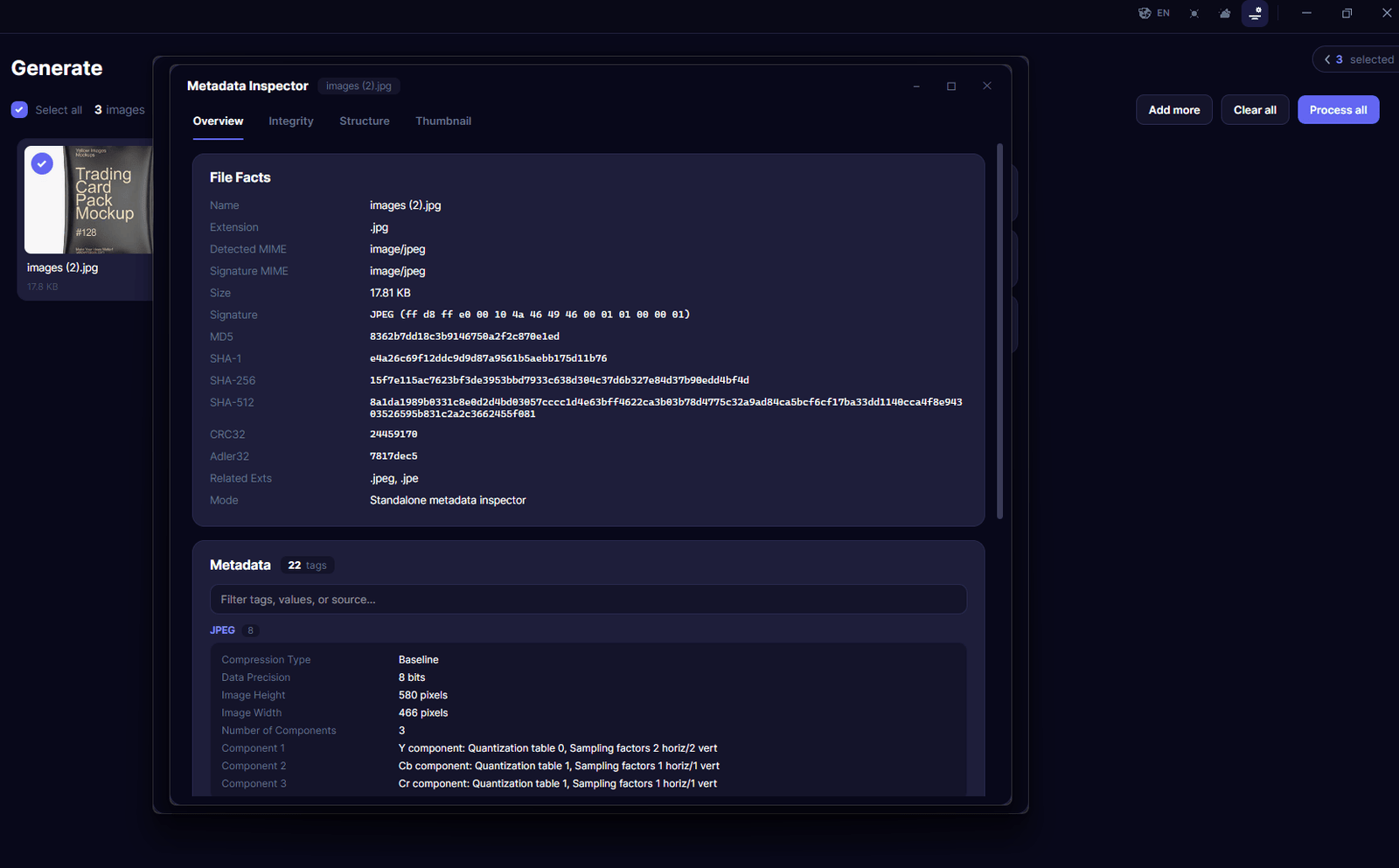
Inspect, clean, and manage your image metadata with complete control. Analyze EXIF data, remove unwanted information, and inject real mobile image metadata.
The Privacy-First Image Processing Platform
ImageForge is a professional desktop media processing platform designed to give you complete control over your images and videos — from metadata inspection and privacy cleaning to format conversion, visual transformations, and advanced media preparation.
Built from the ground up around a Local First architecture, ImageForge processes your media directly on your computer. Your files do not need to be uploaded to external servers or stored in the cloud to perform everyday processing tasks.
Whether you're preparing images for publishing, cleaning metadata before sharing, organizing media assets, converting files between formats, or applying visual modifications, ImageForge provides a centralized workspace for managing your media locally, efficiently, and with privacy in mind.
---
🔒 Privacy First. Local First.
Your files stay on your device.
ImageForge is designed around a simple principle: your media should remain under your control.
Instead of depending on cloud-based processing services, ImageForge performs its core operations locally on your computer. This helps minimize unnecessary data exposure while giving you direct control over the files you process.
With ImageForge, you can:
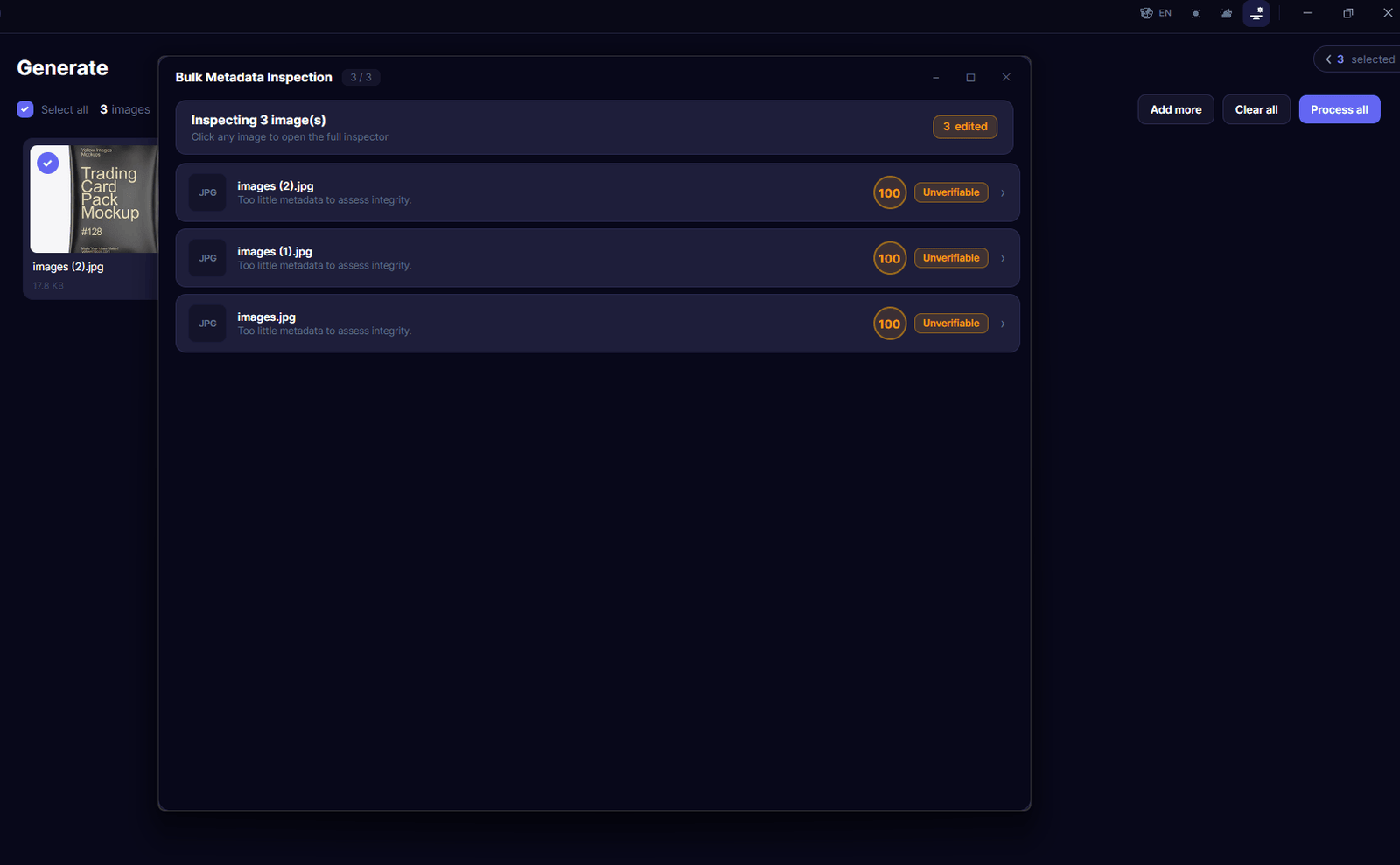
- Inspect image EXIF and metadata information
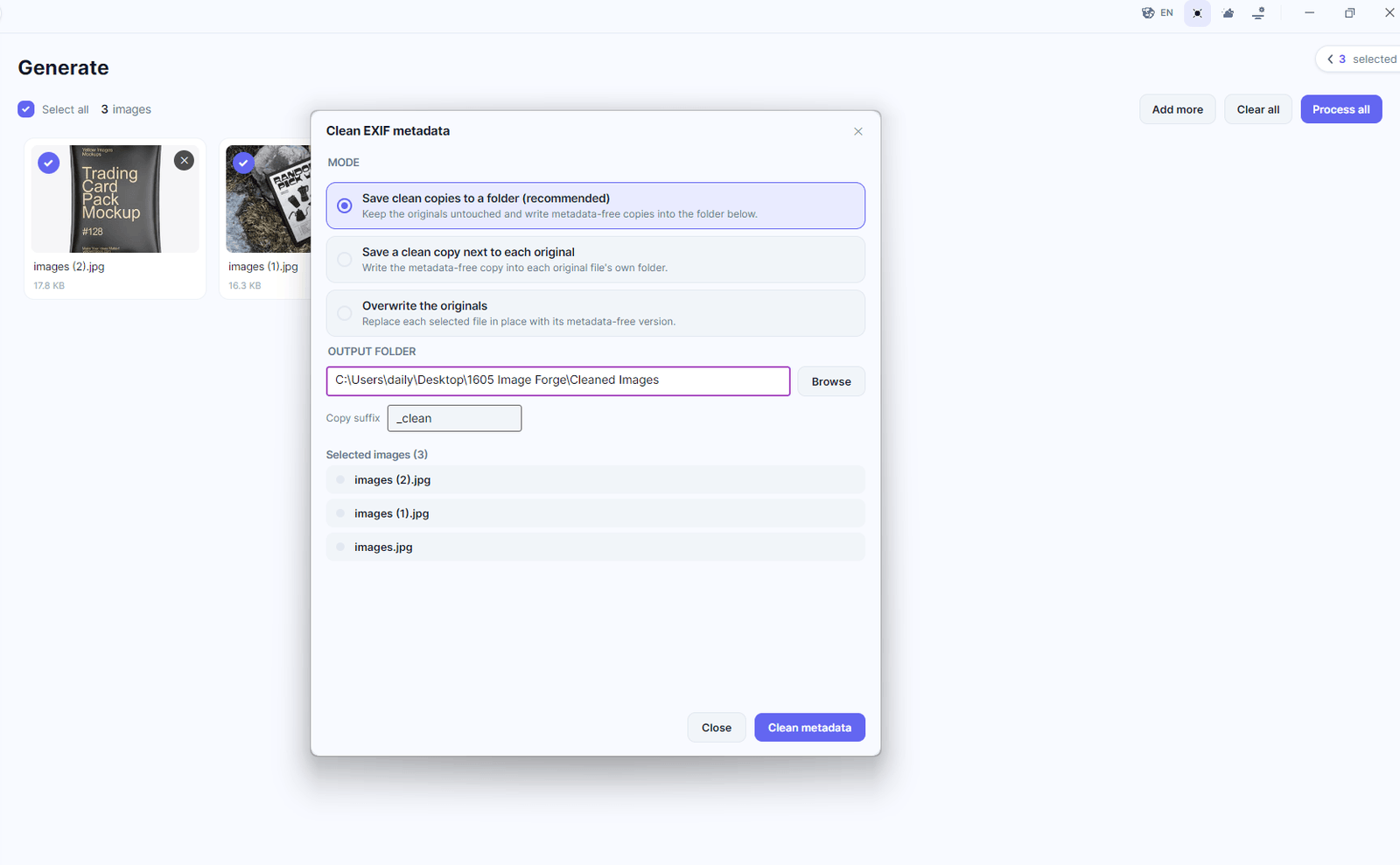
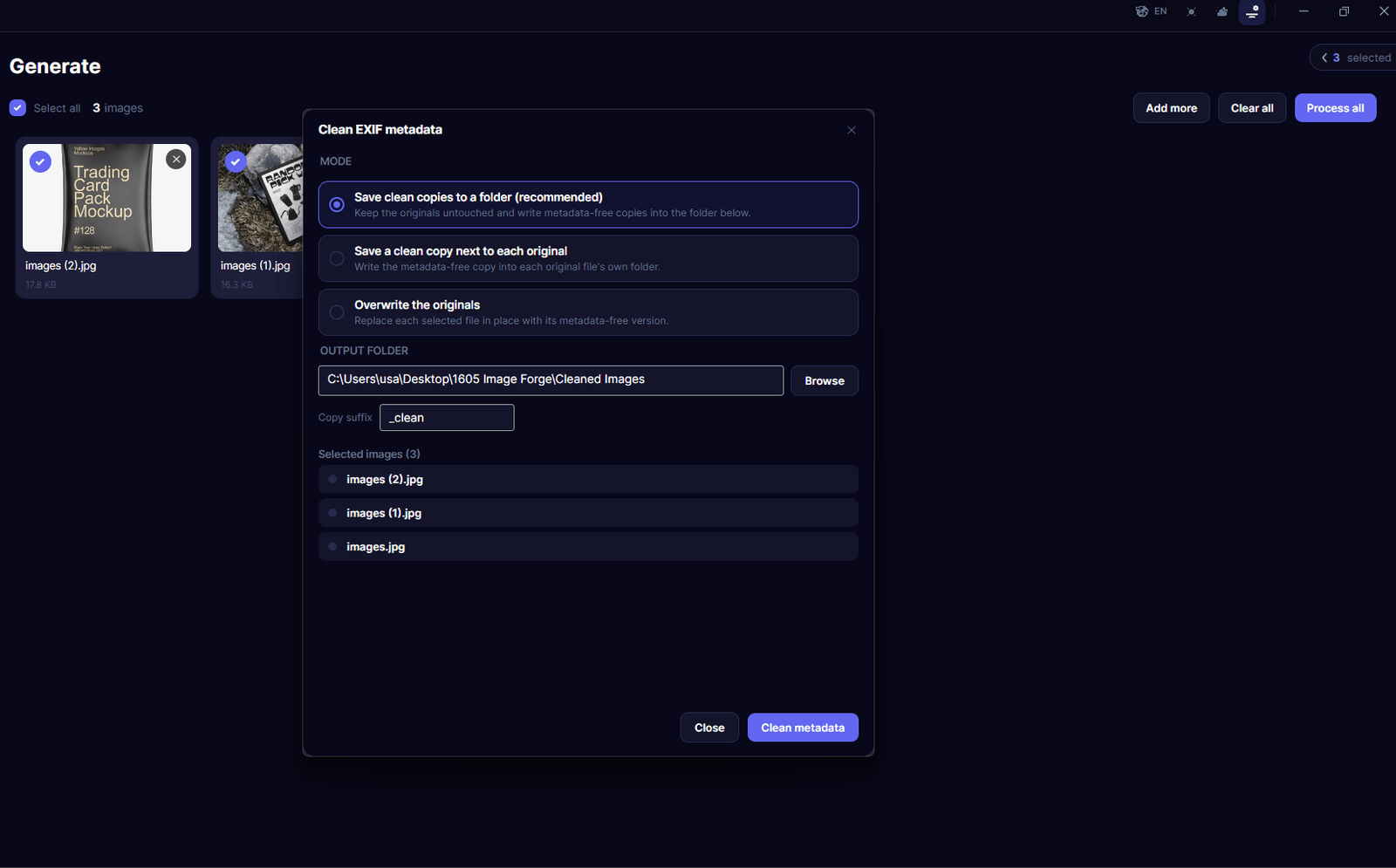
- Remove unwanted or privacy-sensitive metadata
- Clean metadata before publishing or sharing media
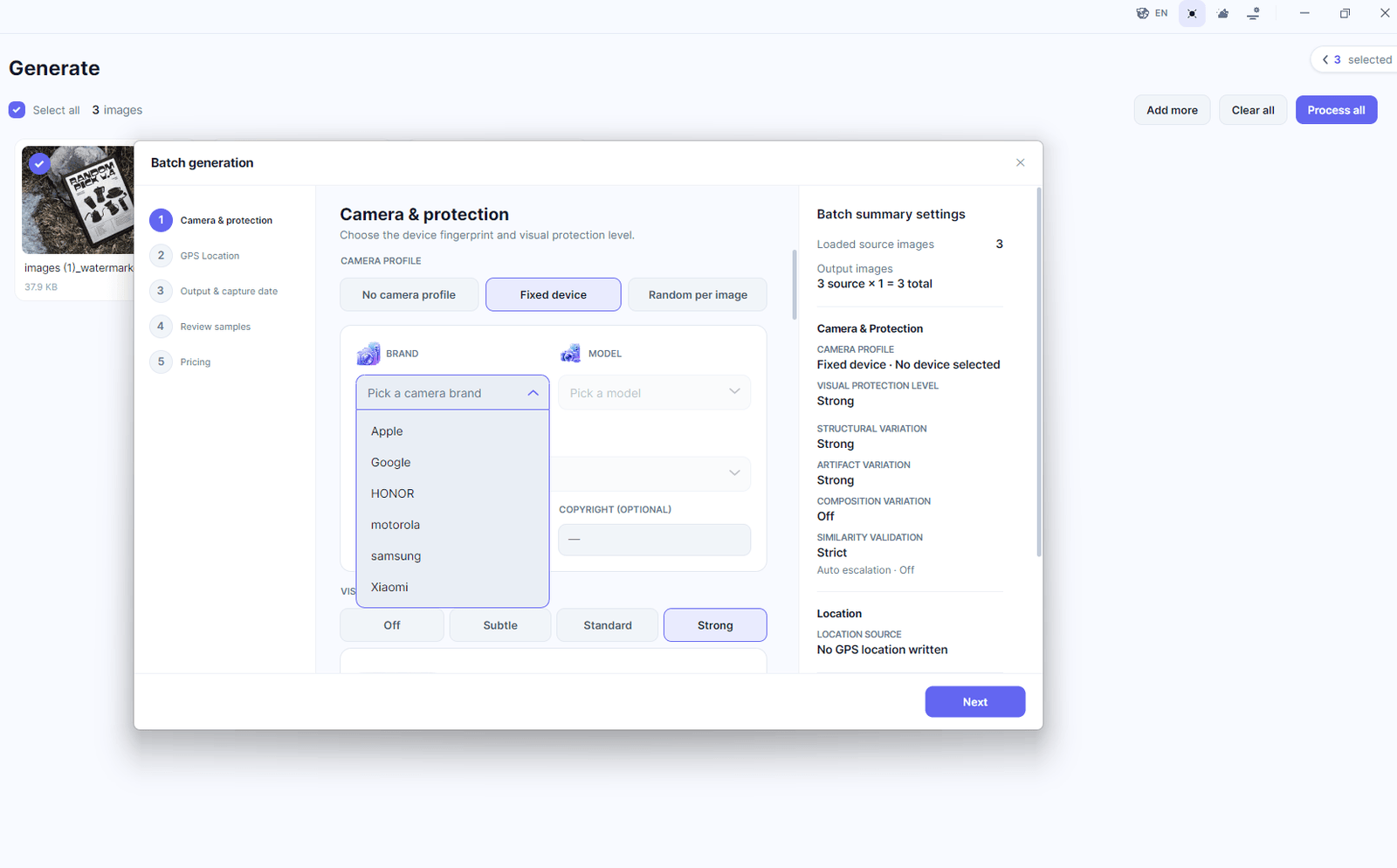
- Inject realistic mobile-device metadata when required for legitimate media workflows
- Convert images between popular formats
- Resize, rotate, scale, and transform images
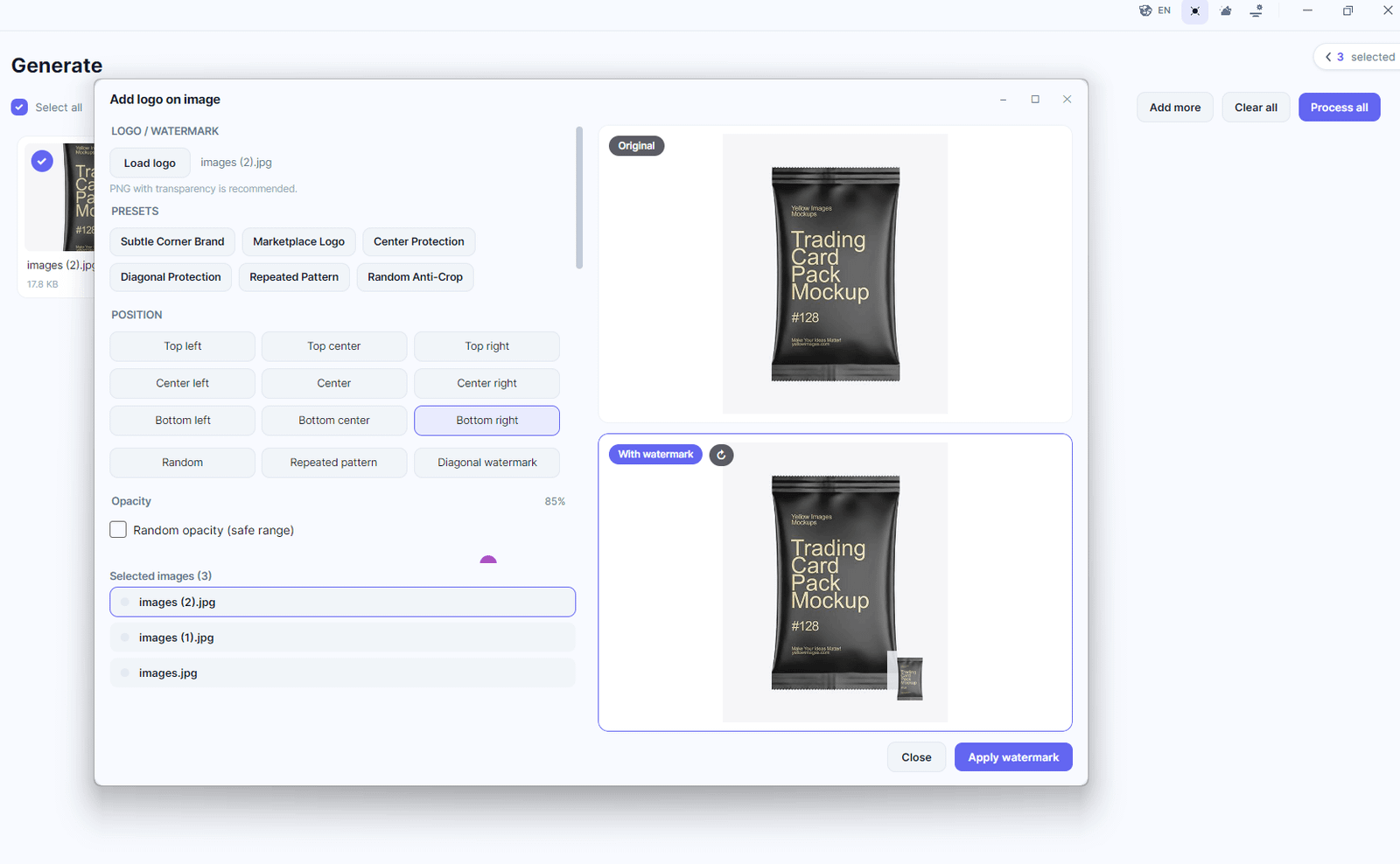
- Add logos, branding, and text overlays
- Remove unwanted logos, text, or visual elements
- Add logos and text overlays to videos
- Remove unwanted visual elements from videos
- Process multiple files locally
- Prepare media for publishing, archiving, or distribution
- Keep your original files under your control throughout the workflow
No unnecessary cloud processing.
No mandatory media uploads.
No external processing pipeline required for local workflows.
---
🛡️ Designed Around Your Privacy
Modern media files can contain far more information than what is visible in the image itself.
An image may contain camera information, timestamps, software identifiers, GPS coordinates, device information, orientation data, and other embedded metadata.
ImageForge gives you the tools to inspect what your files contain before you share them.
The metadata workspace allows you to examine available information and identify data that may not belong in a publicly shared file. When privacy is important, you can clean unwanted metadata before distributing your media.
This gives you a simple workflow:
Inspect → Understand → Clean → Process → Export
All from one desktop application.
---
🧹 Advanced Metadata Management
ImageForge goes beyond simply removing metadata.
The metadata tools are designed to give you granular visibility into the information embedded inside your media files.
You can inspect available EXIF data, identify camera and software information, review timestamps and location-related fields, and remove unwanted metadata before exporting your final file.
For workflows that require device-specific metadata, ImageForge can also work with mobile-device metadata profiles, allowing you to prepare media with controlled metadata characteristics.
This makes ImageForge useful for both privacy-conscious users and professional media workflows where metadata consistency matters.
---
🖼️ Powerful Image Processing
ImageForge combines privacy tools with practical image-processing capabilities in a single desktop environment.
Convert, transform, clean, and prepare your images without constantly switching between multiple applications.
Supported workflows include:
- Image format conversion
- Image resizing
- Rotation and orientation adjustments
- Scaling
- Skew and transformation operations
- Metadata inspection
- Metadata cleaning
- Logo and watermark management
- Text overlays
- Visual adjustments
- Batch media processing
- Export and file preparation
Whether you're working with a single image or a large collection of files, ImageForge is designed to keep the workflow simple and efficient.
---
🎬 Video Processing
ImageForge isn't limited to static images.
The platform also provides tools for working with video files, allowing you to apply visual modifications and prepare video content directly from your desktop.
You can add branding elements, logos, and text overlays to videos or remove unwanted visual elements when preparing media for a new workflow.
The goal is simple: provide a consistent local environment where both image and video processing can be handled from the same application.
---
⚡ Fast Local Processing
Because ImageForge is designed around local processing, your media can be handled directly using the resources available on your computer.
There is no need to continuously upload large files to remote servers and wait for them to be processed before downloading them again.
Your workflow stays local:
Your Files → ImageForge → Processing → Your Output
This architecture can be particularly useful when working with large images, high-resolution media, extensive collections, or files that you simply don't want leaving your machine.
---
📦 Built for Batch Workflows
ImageForge is designed not only for individual files but also for larger media workflows.
Instead of repeating the same operation manually across dozens or hundreds of files, batch-oriented processing allows you to work with collections of media more efficiently.
Typical workflows can include:
- Cleaning metadata from multiple images
- Converting entire image collections
- Applying consistent visual transformations
- Adding standardized branding
- Preparing media for publication
- Processing large local folders
- Exporting cleaned and transformed copies
This turns ImageForge from a simple image utility into a complete local media preparation toolkit.
---
🎯 Built for Complete Media Control
ImageForge brings together privacy, metadata management, image processing, and video tools inside one professional desktop application.
Instead of using separate utilities for metadata inspection, EXIF cleaning, format conversion, image manipulation, branding, and video processing, ImageForge provides a unified environment for your media workflow.
From the moment a file enters the application to the moment the processed version is exported, you remain in control.
**Inspect it.
Clean it.
Transform it.
Prepare it.
Export it.**
All locally.
---
🔐 Your Media. Your Device. Your Control.
ImageForge is built for users who don't want their personal or professional media to become part of someone else's cloud infrastructure.
Your images and videos are valuable data. They can contain personal information, device information, location data, timestamps, proprietary assets, or simply content that you don't want leaving your computer.
ImageForge puts privacy at the center of the workflow.
ImageForge
Complete Media Control — Without Giving Up Control of Your Files.
Screenshots